


The Placement Budget Method: Matching Workloads to VPS, Dedicated, GPU, and Colocation
Executive Summary: The fastest way to overspend on infrastructure is to choose by headline specs instead of by workload behavior. A smarter model is to assign every application a placement budget: how much latency it can tolerate, how much state it carries, how much control it needs, and how close it must stay to data, users, or upstream systems. Once you evaluate those four constraints, the right home for the workload becomes much clearer. VPS is ideal for elastic general-purpose services, dedicated servers excel when predictable performance and isolation matter, GPU servers are the obvious fit for parallel compute and AI inference or training, and colocation wins when you need ownership, networking freedom, and dense control over the physical layer.
Key Takeaways
- Infrastructure choice should follow workload physics, not marketing labels.
- Latency, data gravity, compliance, and operational maturity are the four biggest placement signals.
- VPS is the most flexible starting point, but it is not always the best long-term destination.
- Dedicated servers reduce noisy-neighbor risk and are often better for steady-state production systems.
- GPU servers are specialized compute platforms, not a generic upgrade for every high-performance app.
- Colocation is the strongest option when you need hardware ownership plus carrier, power, and network control.
- AI, video, database, and real-time systems are especially sensitive to storage, network, and east-west traffic patterns.
- A good placement strategy includes a migration path, not just a launch decision.
Introduction
When teams compare hosting options, they often ask the wrong question. Instead of asking which plan is cheapest or which server has the highest core count, ask which environment best matches the workload‘s operating profile. A low-traffic website, a transactional API, a model inference endpoint, a render node, and a private database cluster all place different demands on CPU scheduling, memory, storage, network, and physical proximity. The result is that the same infrastructure tier can be perfect for one workload and inefficient for another.
Definition: A placement budget is the practical limit a workload sets for latency, variability, data movement, isolation, and operational complexity. If a workload exceeds that budget, performance or cost efficiency usually degrades.
This guide gives you a decision framework for VPS, dedicated servers, GPU servers, and colocation. It is designed for architects, DevOps teams, founders, and IT leaders who need clear placement rules that still hold up as systems grow.
What Actually Determines the Right Hosting Tier
Most infrastructure decisions can be reduced to four questions: How fast must the system respond? Where does the data live? How much control do we need over the hardware and network? How much operational responsibility can we absorb? The right answer depends less on the product category and more on the interaction between these variables.
1. Latency Budget
Latency budget is the maximum delay a workload can tolerate before users, machines, or downstream systems experience a visible problem. For interactive applications, every extra millisecond matters. For batch jobs, latency may be almost irrelevant. This is why a remote file server, a real-time trading system, and a nightly analytics pipeline should never be placed by the same rule.
2. Data Gravity
Definition: Data gravity is the tendency for large or frequently accessed datasets to attract compute, services, and workflows toward themselves because moving the data is more expensive than moving the processing.
Once data gravity takes hold, architecture becomes location-sensitive. A machine learning model, a content library, or a database cluster can become expensive to access if compute sits too far away. This is one reason AI inference, media processing, and transactional applications often perform best when compute and storage live close together.
3. Isolation and Control
Some workloads need predictable hardware behavior, stable network conditions, or the ability to shape the environment at the BIOS, NIC, switch, or power layer. Others are fine with abstraction as long as capacity is available. The more important the environment-specific settings become, the more you move away from shared platforms and toward dedicated hardware or colocation.
4. Operational Maturity
Even if a more advanced platform would be technically optimal, your team may not be ready to manage it. Dedicated hardware, GPU clusters, and colocated assets require stronger patching, monitoring, firmware discipline, spare planning, and remote hands processes. The best infrastructure choice is one your team can operate reliably for the next 12 to 24 months, not just one that looks impressive on paper.
How to Think About the Main Hosting Options
Concise answer: VPS is for flexibility, dedicated is for consistency, GPU servers are for parallelized compute, and colocation is for ownership and maximum control.
VPS Hosting
Virtual Private Servers work well when you need a fast start, isolated instances, and easy scaling for standard web applications, APIs, staging environments, smaller databases, or internal tools. Modern virtualization platforms such as KVM, Proxmox, and VMware can provide strong efficiency, but the workload still shares underlying physical resources. That makes VPS an excellent general-purpose choice, especially when traffic is variable and the business values speed of deployment.
Dedicated Servers
Dedicated servers are the better choice when workloads are steady, performance consistency matters, or you need to avoid noisy-neighbor effects. They are also useful for high-throughput databases, middleware, control planes, game servers, edge caches, and other applications where CPU scheduling, NVMe performance, and memory stability have direct business impact. A dedicated server is usually simpler than colocation, yet far more predictable than a standard VPS estate.
GPU Servers
GPU servers are purpose-built systems that accelerate massively parallel workloads such as AI training, inference, computer vision, scientific computing, media transcoding, and some data analytics pipelines. Their value is not merely raw speed; it is the shape of the compute. If the workload can use CUDA, tensor processing, or other accelerator-friendly execution paths, a GPU host can dramatically reduce runtime and improve throughput. If not, the hardware may sit underutilized and inflate cost.
Colocation
Colocation is the right answer when you want physical ownership but do not want to build or maintain your own data center. With colocation, you place your hardware in a secure facility and gain access to power, cooling, carrier diversity, cross-connects, and professional operations. This is the most strategic option for organizations that need custom hardware, strict network design, specialized compliance handling, or long-term control over asset lifecycle and connectivity.
Comparison Table: Infrastructure Tiers at a Glance
| Option | Best For | Strengths | Trade-Offs | Placement Signal |
|---|---|---|---|---|
| VPS | Web apps, APIs, staging, small business platforms | Fast deployment, low friction, easy resizing | Shared physical layer, limited hardware control | Low to moderate latency sensitivity; moderate control needs |
| Dedicated Server | Databases, production apps, game servers, stable services | Predictable performance, strong isolation, good price to performance | Less elastic than VPS, hardware lifecycle management required | Moderate to high performance consistency requirement |
| GPU Server | AI inference, training, video processing, simulation | Accelerated parallel compute, large memory bandwidth | Higher cost, specialized software stack, power intensive | Compute is accelerator-friendly and throughput sensitive |
| Colocation | Custom infrastructure, regulated workloads, network-heavy environments | Maximum hardware and network control, carrier flexibility | Most operational complexity, requires hardware ownership | High control, long lifecycle, location-sensitive data |
Decision Matrix: Which Workload Belongs Where?
| Workload Characteristic | Recommended Tier | Why It Fits |
|---|---|---|
| Variable traffic, simple app stack | VPS | Elastic capacity and low startup friction |
| Predictable load, database-heavy service | Dedicated Server | Stable CPU, memory, and NVMe behavior |
| AI model inference or training | GPU Server | Accelerator hardware improves throughput and latency |
| Custom network design with multiple carriers | Colocation | Direct control over cross-connects and architecture |
| Need for regulatory custody of physical assets | Colocation or Dedicated | Improved governance, auditability, and access control |
| Fast deployment for a new product | VPS | Time to market is usually better than hardware ownership |
| Large local dataset with frequent reads | Dedicated, GPU, or Colocation | Reduces the penalty of moving data repeatedly |
A Step-by-Step Method for Choosing Infrastructure
Concise answer: Start with workload behavior, then map it to cost, control, and migration path.
Step 1: Classify the Workload
Is it public-facing, internal, transactional, batch-oriented, or compute-intensive? Is it user-driven or machine-driven? Does it peak unpredictably or run at a steady load? These answers shape everything that follows.
Step 2: Measure the Latency Budget
Decide what delay is acceptable at the user interface, API layer, database layer, and storage layer. A workload can appear fast at the front end while suffering inside the network or storage subsystem. Measure end-to-end, not just server response time.
Step 3: Identify Data Gravity
Map where the primary data lives, how often it changes, and how much traffic it generates. If the workload repeatedly pulls large objects, feature sets, or database rows from distant storage, placement should move closer to the data.
Step 4: Determine Control Requirements
Ask how much you need to manage at the BIOS, OS, hypervisor, NIC, switch, or physical access layer. The more control you need, the less likely a standard virtual environment will be sufficient.
Step 5: Evaluate Team Capability
If your team is skilled in Linux hardening, BGP, firmware updates, remote hands coordination, and capacity planning, dedicated or colocated assets can be efficient. If your team is small and product-focused, starting with VPS or managed dedicated services may reduce risk.
Step 6: Model the Migration Path
Do not choose the first home only for launch day. Choose the next two homes as well. A good architecture has a clear upgrade path from VPS to dedicated, from dedicated to GPU where relevant, and from dedicated to colocation when scale or control demands it.
Practical Examples
Example 1: SaaS Platform with a Transactional Database
A growing SaaS application starts on a VPS because speed to market matters. As the product gains users, the database begins to compete with application services for CPU and memory. Query latency rises, backups take longer, and burst traffic creates unpredictability. The better move is to keep the web tier on VPS if needed, but move the database to a dedicated server with NVMe storage and more memory headroom. This isolates the hottest stateful component without forcing the entire stack into a more expensive tier.
Example 2: AI Inference for an Internal Product
An enterprise team wants a model endpoint that answers employee questions in real time. The model is not being trained continuously, but each response must be fast enough to feel interactive. A GPU server is the right fit because inference benefits from accelerator throughput and can deliver lower latency than CPU-only systems. If the model sits near a private document store, the team should also minimize network hops to avoid data transfer penalties.
Example 3: Media Processing Pipeline with Large Assets
A content platform ingests raw video files, transcodes them, and stores output near a distribution network. If the process repeatedly moves large files between locations, data gravity becomes the real cost driver. A GPU server may speed up transcoding, but the broader architecture matters more: local NVMe scratch space, high-throughput networking, and placement close to the asset repository can produce better results than simply buying a more powerful machine.
Example 4: Regulated Enterprise with Custom Hardware
A financial or healthcare organization may need strict access procedures, network segmentation, and long retention of specific hardware images. In that case, colocation lets the business keep asset ownership while benefiting from a secure data center, structured power delivery, carrier diversity, and professional environmental controls. If the compliance program requires tighter custody than a shared cloud model can provide, colocation becomes a strategic advantage rather than a niche option.
Common Mistakes
- Choosing by CPU alone: A high core count does not fix bad placement, poor data locality, or storage bottlenecks.
- Ignoring east-west traffic: Internal service-to-service chatter can consume more bandwidth and create more latency than public traffic.
- Overestimating VPS suitability: Many workloads fit a VPS at launch but outgrow it once state and traffic become steady.
- Buying a GPU before confirming acceleration: Not every workload benefits from CUDA or tensor hardware.
- Underplanning the operational burden: Dedicated and colocated environments require backups, patching, firmware care, and spare strategy.
- Moving data instead of compute without measuring cost: Cross-region or cross-site data movement can erase performance gains.
- Confusing compliance with location alone: Compliance is about controls, logging, access, and process, not just where the server sits.
Best Practices
- Define latency targets before procurement, not after users complain.
- Design around the hottest stateful component first, because that is often the true bottleneck.
- Keep application, database, and object storage placement aligned whenever possible.
- Use dedicated servers for predictable production load and VPS for agility or bursty environments.
- Reserve GPU servers for workloads that truly benefit from parallel acceleration.
- Adopt colocation when long-term control, carrier strategy, or hardware ownership is part of the business model.
- Document the migration path so engineers know when and why to move tiers.
- Monitor CPU, memory, storage IOPS, network jitter, and queue depth together instead of in isolation.
Industry Recommendations
SaaS and Software Startups
Start on VPS for the application layer, then move the database or search index to dedicated infrastructure when consistency becomes important. This balance keeps launch costs controlled while preserving a clean path for scale.
AI and Machine Learning Teams
Use GPU servers when the workload can exploit the accelerator. Keep datasets close, prefer high-speed local storage, and evaluate memory size, PCIe bandwidth, and cooling requirements alongside model size. If the project grows into a sustained platform, colocation may become attractive for custom GPU density and network control.
Regulated Enterprises
For environments with security, audit, and custody requirements, dedicated hardware and colocation are usually more defensible than shared virtualization. The decision should be shaped by access control, logging, patch cadence, and physical process, not simply by whether a provider is managed or unmanaged.
Media, Streaming, and Content Delivery
Choose infrastructure based on file size, encoding method, and distribution path. GPU servers are valuable for transcoding and some rendering workloads. Colocation becomes compelling when you need custom edge design, large-scale bandwidth planning, or long-lived storage arrays.
Managed Service Providers and Agencies
VPS offers useful standardization for many customer environments, but dedicated servers often reduce support noise when clients need predictable performance. For high-margin or specialized customers, GPU or colocation can unlock premium service tiers.
Definition Section: The Four Signals That Matter Most
Latency: How quickly the workload must respond.
Data gravity: How strongly the workload is anchored to its data.
Control: How much influence you need over hardware, networking, and access.
Operational maturity: How much complexity your team can safely manage.
When these signals are aligned with the infrastructure tier, performance is easier to predict and budgets are easier to defend.
Internal Link Suggestions
- VPS hosting solutions for readers who need fast deployment and flexible scaling.
- Dedicated server solutions for teams ready to move from shared resources to predictable performance.
- Colocation services for businesses that want physical ownership with data center-grade power, cooling, and connectivity.
Frequently Asked Questions
What is the simplest way to choose between VPS and dedicated servers?
If your workload is variable and you need fast deployment, start with a VPS. If your workload is steady and performance consistency matters, a dedicated server is usually the better fit.
When does a GPU server make sense?
A GPU server makes sense when the workload can use accelerator-friendly software paths such as CUDA or other parallel compute frameworks. It is especially valuable for AI, rendering, video processing, and scientific workloads.
Is colocation only for large enterprises?
No. Colocation is useful for any organization that wants hardware ownership, carrier flexibility, and data center-grade operations without building its own facility. Small teams may use it for specialized systems or long-term control.
How do I know if data gravity is affecting my architecture?
If applications become slower or more expensive as datasets grow, or if teams keep moving compute closer to storage, data gravity is likely influencing design. Repeatedly transferring large datasets is a common warning sign.
Can I combine VPS, dedicated, GPU, and colocation in one architecture?
Yes. Many strong architectures are hybrid. A product may use VPS for web traffic, dedicated servers for databases, GPU servers for inference, and colocation for long-lived hardware or private network hubs.
Does compliance always require colocation?
No. Compliance depends on controls, logging, access management, and process. Colocation can help when physical control is important, but the compliance outcome depends on the full security model.
What are the biggest signs that a VPS has outgrown its role?
Frequent CPU saturation, noisy-neighbor sensitivity, storage contention, inconsistent latency, and a need for deeper hardware control are all strong signs that it is time to move to a dedicated environment.
Should I buy more compute before improving placement?
Usually not. If the bottleneck is data movement, storage latency, or network distance, extra compute will not solve the core issue. Placement should be corrected before more power is added.
Schema Suggestions
Article schema: Use Article or BlogPosting markup with the main entity as an educational hosting guide.
FAQPage schema: Mark up each question and answer exactly as written in the FAQ section so search systems can extract concise responses.
BreadcrumbList schema: Helpful for clarifying topic hierarchy across hosting, infrastructure, and colocation categories.
Organization schema: Include INS-CO brand information, service areas, and sameAs references if available.
Recommended entities to reference: VPS, dedicated server, GPU server, colocation, NVMe, RAID, Kubernetes, Proxmox, VMware, OpenStack, BGP, Anycast, PCI DSS, HIPAA, ISO 27001, CUDA, 10GbE, 25GbE, 100GbE, edge computing, data gravity, and latency budget.
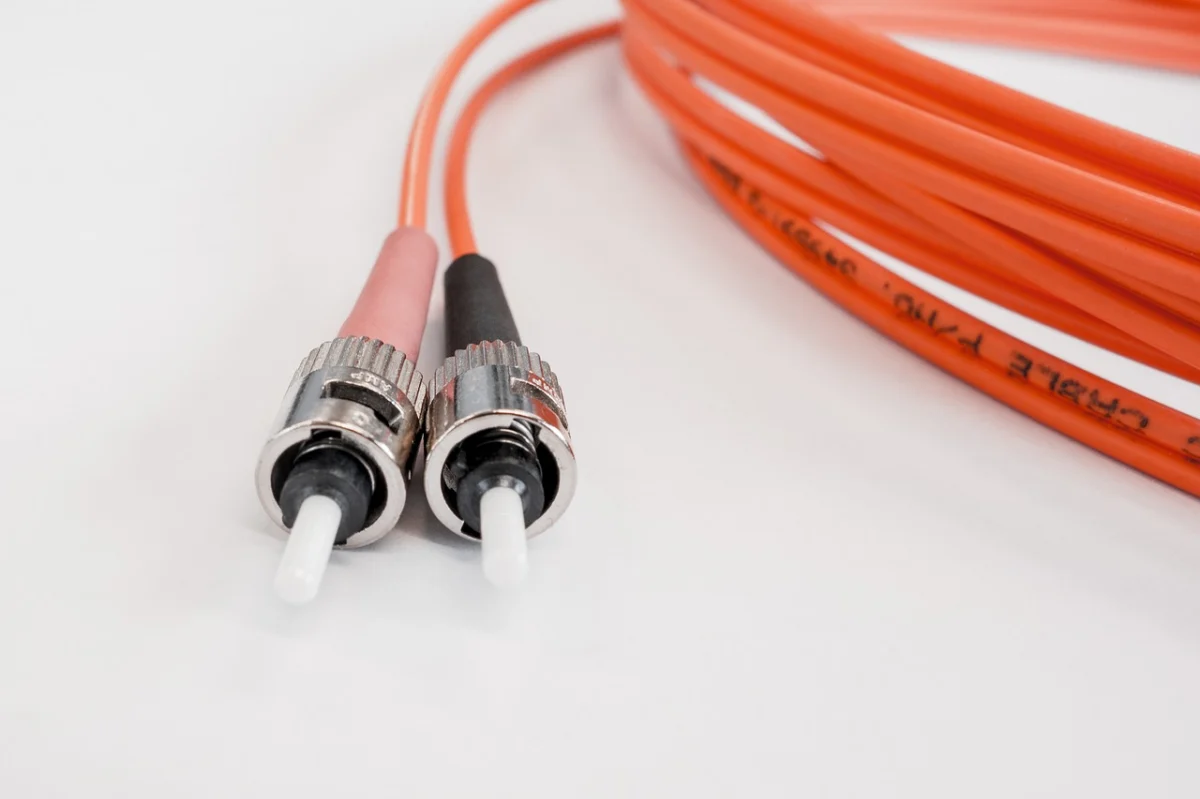
Featured image ALT: Engineer reviewing workload placement options across VPS, dedicated, GPU, and colocation infrastructure inside a modern data center.
Open Graph description: A practical framework for matching workloads to the right hosting tier using latency, data gravity, control, and operational readiness.
Meta description: Learn how to choose between VPS, dedicated servers, GPU servers, and colocation using a workload-first framework built around latency, data gravity, control, and scale.
URL slug: /workload-placement-vps-dedicated-gpu-colocation
Final Conclusion
The best infrastructure decision is rarely the most powerful one on paper. It is the one that aligns closely with workload behavior, data location, and team capability. VPS gives you speed and flexibility. Dedicated servers give you stability and isolation. GPU servers unlock accelerated compute when the software stack can use it. Colocation gives you the deepest control and the strongest long-term ownership model. If you evaluate workloads through the lens of latency budget, data gravity, compliance, and operational maturity, you can place them with far more confidence and far less waste.