


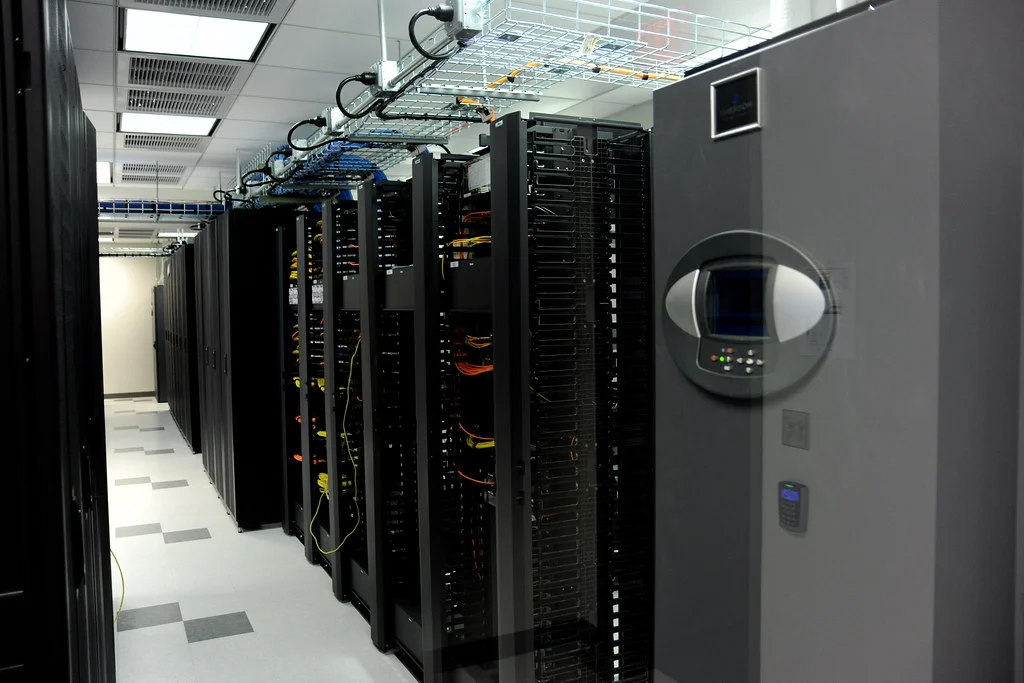
The Workload Placement Playbook for Modern Infrastructure
Publishing Metadata:
SEO Title: Workload Placement Strategy for VPS, Dedicated, GPU, Cloud, and Colocation
Meta Description: Learn how to map workloads to the right hosting model by latency, data gravity, bandwidth, compliance, and cost.
Slug: workload-placement-strategy-hosting-models
Open Graph Description: A practical framework for choosing the right infrastructure footprint for performance-sensitive and AI-ready workloads.
Featured Image ALT: Senior infrastructure engineer comparing hosting options in a data center with network diagrams.
Executive Summary
Short answer: The best hosting choice is rarely the one with the most raw compute or the lowest sticker price. It is the one that keeps latency, data movement, resilience, compliance, and operational complexity inside your service budget. This guide shows how to evaluate VPS, dedicated servers, GPU servers, cloud instances, and colocation by asking one question first: where should the workload live so that users, data, and compute are as close as possible without breaking cost or control requirements?
When teams choose by category alone, they overbuy capacity, add unnecessary hops, or place state too far from the application. When they choose by workload behavior, they can reduce p95 and p99 latency, improve throughput, simplify incident response, and avoid hidden egress and storage costs.
Key Takeaways
- Latency is a budget, not a single number. It includes network distance, queueing, storage I/O, retries, and dependency calls.
- VPS is ideal for general-purpose web apps, staging, and smaller services that need fast deployment and predictable pricing.
- Dedicated servers are stronger when you need consistent CPU, memory, NVMe performance, or strict hardware isolation.
- GPU servers are best for AI inference, model fine-tuning, video rendering, and other parallel workloads that benefit from accelerators.
- Colocation is most valuable when you need maximum control, custom hardware, specialized compliance, or deep integration with private networking.
- Cloud is powerful for elasticity, but it can add cost and network complexity if you rely on it for every layer of the stack.
- The right architecture often mixes models rather than forcing every workload into a single environment.
Introduction
Short answer: A good infrastructure decision starts with the application profile, not the product catalog. The practical question is not which hosting type is newest or most popular, but which one keeps the critical path short enough to meet your SLOs while leaving room for growth.
Modern applications are not just code running on a server. They are chains of dependencies: client devices, DNS, TLS, load balancers, containers, databases, object storage, caches, APIs, queues, and often AI models or analytics pipelines. Every extra dependency adds latency and failure surface area. That is why placement matters. A database sitting one network hop farther away may seem harmless in development, but the same choice at scale can worsen response times, amplify jitter, and make tail latency unpredictable.
This guide focuses on the practical mechanics of workload placement. It explains how to think about latency budgets, data gravity, compute intensity, storage behavior, network paths, and operational control so you can select the right environment with confidence.
Definition: What a Latency Budget Means in Hosting
Short answer: A latency budget is the maximum acceptable time your application can spend from request to response while still meeting its service target. It is a planning tool that helps you divide time across the network, application code, storage, retries, and external services.
In infrastructure terms, latency budget is not just about raw milliseconds. It is the sum of many parts:
- User round-trip time to the nearest edge or region
- Transport cost across WAN, LAN, or private interconnects
- Application processing time on CPU or GPU
- Disk and storage access time, especially for databases and logs
- Queueing delays when systems are saturated
- Retry penalties when dependencies fail or time out
If a service has a 200 ms budget for a user interaction, and 80 ms is lost to geography and network path, only 120 ms remains for the application and its dependencies. That is why server location, peering quality, and storage placement are not secondary concerns. They are part of the product experience.
How to Think About Workload Placement
Short answer: Place the workload where its most expensive dependency is easiest to satisfy. For some applications, that is CPU. For others, it is GPU memory, local NVMe storage, or a controlled private network path.
The simplest way to evaluate placement is to identify the dominant constraint:
1. Compute-bound workloads
These workloads spend most of their time executing CPU instructions. Examples include many web apps, business APIs, and background jobs. They benefit from predictable CPU allocation, good single-thread performance, and enough RAM to avoid swapping. VPS works well for light and moderate load, while dedicated servers are stronger when the app needs consistent cores, high clock speed, or stable noisy-neighbor isolation.
2. Memory-bound workloads
These services are limited by available RAM and cache hit rates. In-memory databases, large application instances, and certain analytics systems often need more memory than a small shared environment can reliably provide. Dedicated servers or larger cloud shapes can be appropriate, but the key is not just capacity. It is keeping memory access local and avoiding oversubscription.
3. Storage-sensitive workloads
Databases, log processors, indexing systems, and transaction-heavy platforms care deeply about IOPS, throughput, and queue depth. NVMe on dedicated hardware usually provides more consistent performance than low-tier shared storage. If the storage layer is far away, even a powerful CPU will not fix the problem.
4. Network-sensitive workloads
APIs, streaming platforms, multiplayer services, and payment flows depend on a short, stable network path. A low average latency is not enough. Tail latency, packet loss, jitter, peering quality, and path symmetry all matter. Private networking, direct cross-connects, and the right data center location can matter as much as the server itself.
5. Accelerator-bound workloads
Model inference, fine-tuning, image generation, scientific computing, and video processing often benefit from GPU servers. In these cases, placement should account for VRAM, PCIe lane availability, cooling, power delivery, and the cost of moving large datasets to and from the node.
6. Control-bound workloads
Some environments are governed by compliance, data sovereignty, or custom hardware requirements. In those cases, colocation or dedicated infrastructure may be required because the dominant constraint is not performance alone. It is operational control, auditability, and policy alignment.
Comparison Table: Hosting Models at a Glance
| Hosting model | Latency control | Data locality | Scaling speed | Cost profile | Best fit |
|---|---|---|---|---|---|
| VPS | Good for general use, limited by shared hardware | Moderate | Fast provisioning | Low to moderate | Web apps, small APIs, staging, dev environments |
| Dedicated server | Strong and predictable | Strong | Moderate | Fixed monthly cost | Databases, performance-sensitive services, compliance-driven apps |
| GPU server | Strong for accelerator workloads, depends on I/O and model size | Strong when data is local | Moderate | Higher cost per node | AI inference, training, rendering, simulation |
| Cloud instance | Variable, depends on region and architecture | Moderate to strong | Very fast | Elastic, but often expensive at scale | Burst workloads, global applications, operational flexibility |
| Colocation | Excellent with proper design | Excellent | Slower to change | Capex plus facility costs | Full control, custom hardware, sovereign or highly regulated workloads |
Step-by-Step: How to Choose the Right Placement
Short answer: Start with measurable workload behavior, not assumptions. A simple decision framework will usually outperform a gut feeling or vendor-driven comparison.
- Map the request path. Trace the user journey from browser or device to the first response. Include DNS, TLS handshake, edge cache, application servers, databases, and third-party APIs.
- Measure your latency budget. Collect p50, p95, and p99 metrics. The average is useful, but the tail tells you whether users are seeing delays and whether your system is fragile under load.
- Identify the dominant dependency. Decide whether the workload is primarily limited by CPU, RAM, disk, GPU, or network distance. The dominant dependency usually determines the most suitable hosting model.
- Evaluate data gravity. Ask where the largest datasets live and how often they move. Large datasets tend to pull compute toward them. This is especially true for analytics, media pipelines, and AI workflows.
- Estimate cross-zone and cross-region cost. Factor in bandwidth, egress, backup traffic, replica traffic, and remote storage calls. Hidden data transfer charges can make a technically sound design financially inefficient.
- Check compliance and security requirements. If policy requires dedicated hardware, specific jurisdictions, network segmentation, or audit control, rule out unsuitable models early.
- Plan for growth and failure. Consider how quickly the workload must scale, what happens during spikes, and how you will fail over if a node, rack, or site becomes unavailable.
- Choose the smallest environment that meets the full workload profile. Overbuying leads to waste; underbuying leads to instability. The goal is the narrowest fit that still leaves safe headroom.
Comparison Table: Workload Signals and Recommended Placement
| Workload signal | What it usually means | Recommended placement |
|---|---|---|
| High p99 latency on simple API requests | Network path, storage, or noisy neighbor issues | Dedicated server or better-tuned VPS with closer regional placement |
| Large model inference with frequent VRAM pressure | Need for accelerator memory and local data | GPU server with fast local storage |
| Frequent database stalls during writes | Storage I/O bottleneck | Dedicated server with NVMe and proper isolation |
| Traffic spikes from marketing campaigns | Need for rapid elasticity | Cloud or hybrid front end with auto-scaling |
| Strict data residency or audit constraints | Governance and control requirements | Dedicated or colocation with private network design |
| High bandwidth media processing | Large file movement and throughput needs | Dedicated server, GPU server, or colocated compute near storage |
Why Data Gravity Changes the Decision
Short answer: Data gravity means large datasets become expensive to move, so compute should often move to the data rather than the other way around.
This matters in several common environments. A training pipeline that reads terabytes of images, a backup system that restores large archives, or a BI platform that queries a large warehouse will often spend more time moving data than computing. In those cases, the right question is not which server has the most CPU. It is which location minimizes unnecessary data transfer and keeps the busiest storage path local.
Data gravity is also the reason some architectures become slow over time. A service might begin on a simple VPS, then grow into a distributed system with caches, analytics, background jobs, and replicas. Once the data becomes central, the original placement can become inefficient. Reassessing architecture periodically keeps the workload aligned with reality.
Practical Examples
Short answer: Good placement decisions are visible in the outcome. The right model reduces latency, simplifies operations, and lowers surprise costs.
Example 1: A SaaS dashboard with moderate traffic
The app serves authenticated users, reads from PostgreSQL, and uses Redis for session storage. Traffic is steady, but the team wants reliable response times during business hours. A well-sized VPS or a small dedicated server can work, but the key differentiator is not the product category. It is whether the database and application sit close enough to keep request paths short. If the app relies on consistent database performance, a dedicated server with NVMe may outperform a shared environment even at a similar price point.
Example 2: Real-time AI inference API
The service loads a large model and must return predictions quickly for customer-facing requests. Here, GPU memory, local model storage, and predictable PCIe behavior matter more than raw network elasticity. A GPU server is usually the best fit because it keeps the model local and avoids repeated transfers from remote storage. If the workload has variable traffic, you can still add a cloud front end or queue layer, but the inference engine itself should stay close to the model and its weights.
Example 3: Compliance-heavy financial application
The application handles regulated records and must support strict access controls, logging, and auditability. A dedicated server or colocation environment is often preferred because the team needs tighter control over hardware, network segmentation, and maintenance windows. When control and evidence matter as much as performance, the ability to document the environment can be more valuable than infinite elasticity.
Example 4: Video rendering and post-production pipeline
Rendering is computationally intense and often depends on large source files. The best design keeps assets local to the compute node or in a nearby storage tier with high throughput. GPU servers can accelerate rendering, but if the source assets sit across a congested network link, gains are lost. The right answer is usually a blend of local fast storage, high-bandwidth networking, and accelerators sized to the queue depth.
Common Mistakes
Short answer: Most infrastructure mistakes come from ignoring the path, not the server. Teams assume the machine is the bottleneck when the real problem is topology, storage, or traffic pattern mismatch.
- Choosing by CPU alone. Fast cores do not fix slow storage or a bad network route.
- Ignoring p99 latency. A low average response time can hide a bad user experience during peak or tail events.
- Moving too much data across regions. Egress charges and distance penalties can erode both performance and margins.
- Overusing cloud for steady-state workloads. Elasticity is valuable, but always-on services can be cheaper and more predictable on dedicated hardware.
- Buying GPU capacity before confirming the model bottleneck. Some AI workloads are memory, storage, or preprocessing constrained rather than truly accelerator constrained.
- Placing databases too far from application servers. Even one extra network hop can create compounding delays under load.
- Skipping observability. Without metrics for latency, IOPS, bandwidth, and error rate, placement decisions become guesswork.
Best Practices
Short answer: The most reliable infrastructure strategies are measurable, conservative, and designed around dependencies rather than marketing categories.
- Measure p50, p95, and p99 for every critical user journey.
- Keep the database, cache, and app tier in the same region unless there is a strong reason not to.
- Use private networking or direct interconnects when a service depends on frequent east-west traffic.
- Prefer NVMe and local storage for write-heavy or latency-sensitive systems.
- Reserve GPU servers for workloads that actually use accelerator memory or parallel compute efficiently.
- Design with headroom so a temporary spike does not immediately create queueing delays.
- Document the reason for every placement choice so future teams do not accidentally undo it.
- Re-evaluate architecture after major data growth, new compliance requirements, or traffic pattern changes.
Industry Recommendations
Short answer: Different industries benefit from different placements, but the principle is constant: align infrastructure with the workload’s most expensive constraint.
- E-commerce: Use close regional placement, caching, and predictable database performance to protect checkout latency during campaigns.
- AI and machine learning: Keep model artifacts and inference nodes close together. Use GPU servers where acceleration is clear, and plan for large dataset movement carefully.
- Fintech: Favor controlled environments with strong logging, isolation, and clear audit trails. Dedicated or colocated infrastructure often fits best.
- Media and streaming: Prioritize bandwidth, local storage throughput, and fast processing. Edge distribution and nearby compute reduce friction.
- Healthcare and public sector: Lead with compliance, data residency, and access control. Operational transparency often matters more than maximum elasticity.
Internal Link Suggestions
Recommended internal links for INS-CO:
- Dedicated Servers – Link to a page explaining performance isolation, NVMe options, and use cases for databases and business-critical applications.
- GPU Servers – Link to a page covering AI inference, model training, rendering, and accelerator-based workflows.
- Colocation Services – Link to a page that explains control, custom hardware, compliance, and network interconnection benefits.
Frequently Asked Questions
1. What is the main difference between VPS and dedicated hosting for performance?
VPS gives you isolated virtual resources on shared hardware, which is efficient for many applications. Dedicated hosting gives you the full server and more predictable performance, which is usually better for latency-sensitive databases, busy APIs, or workloads that need stable I/O and consistent CPU behavior.
2. When should a business choose a GPU server instead of a cloud VM?
Choose a GPU server when the workload consistently benefits from accelerator memory or parallel compute, such as inference, fine-tuning, simulation, or rendering. If the application only uses the GPU occasionally, cloud may be more convenient. If the GPU is part of the critical path, local control and predictable performance usually justify dedicated hardware.
3. Is colocation always better than cloud?
No. Colocation offers high control, strong hardware customization, and excellent placement flexibility, but it requires more planning and operational maturity. Cloud is better when you need rapid deployment, quick scaling, or fewer hardware responsibilities. The best choice depends on control, budget, and workload shape.
4. How do I know if my app is network-bound?
If response times rise when the app talks to databases, caches, or external APIs, and if small increases in distance or packet loss have a visible impact, the app is likely network-sensitive. Monitoring p95 and p99 latency, retransmissions, and dependency timing will reveal whether the network path is part of the problem.
5. What is data gravity and why does it matter?
Data gravity is the tendency of large datasets to attract applications and services toward them because moving the data is expensive. It matters because placing compute far from large datasets increases latency, bandwidth costs, and complexity. In many systems, the right move is to bring compute closer to the data.
6. Can a VPS handle production workloads?
Yes. Many production workloads run well on VPS platforms, especially websites, APIs, staging systems, and small business services. The important question is not whether VPS is production-ready in theory, but whether it meets your latency, storage, and reliability requirements under real traffic.
7. Why do p99 metrics matter so much?
P99 shows what the slowest 1 percent of requests experience. If p99 is poor, users will notice lag during peak traffic, cache misses, GC pauses, or dependency stalls. Tail latency is often the best early warning that your infrastructure is too close to saturation or too dependent on a slow path.
8. Should I place my database and application in the same region?
In most cases, yes. Keeping the application and database close reduces network delay, lowers failure surface area, and improves consistency. Cross-region architectures have valid use cases for resilience and distribution, but they should be intentional, not accidental.
9. How often should hosting placement be reviewed?
Review it whenever traffic, data size, compliance needs, or dependency patterns change significantly. A quarterly review is a good baseline for many teams, while fast-growing AI or SaaS systems may need more frequent checks.
Schema Suggestions
Recommended schema types for this article:
- Article schema for the main guide
- FAQPage schema for the question and answer section
- BreadcrumbList schema for navigation context
- Organization schema for brand authority
- WebSite schema for site-level understanding
Final Conclusion
Short answer: The right hosting model is the one that makes the critical path shorter, more predictable, and easier to operate. VPS, dedicated servers, GPU servers, cloud, and colocation are not competing labels so much as different answers to different constraints. Once you map latency, data gravity, bandwidth, compliance, and growth together, the choice becomes much clearer.
Teams that win on infrastructure do not chase the most fashionable platform. They place workloads where the application can breathe, the data can stay close, and the operations team can keep control. That is the real advantage of workload-aware planning: better performance, lower waste, and fewer surprises as the business grows.
Frequently Asked Questions
How do I know whether latency is coming from the network or from the application itself?
Start by measuring each hop in the request path separately: client to edge, edge to app, app to database, and app to any external APIs. If p95 and p99 latency rise mainly during storage calls or dependency requests, the issue is usually placement or contention, not pure CPU speed. Tracing and synthetic tests help reveal where the budget is actually being spent.
When does a mixed infrastructure setup make more sense than putting everything in one environment?
A mixed setup is often better when different parts of the stack have different needs. For example, you might keep a public API on VPS or cloud for agility, place a high-I/O database on dedicated hardware, and run model inference on GPU servers. This reduces overprovisioning and lets each workload live where its main constraint is easiest to control.
Why can a cheaper cloud setup end up costing more than dedicated servers or colocation?
Cloud pricing can look low at first, but total cost grows quickly when you add persistent storage, bandwidth, load balancers, managed databases, and especially egress traffic. If your workload moves large datasets or serves high-volume traffic, those recurring charges can exceed the cost of fixed infrastructure. The real comparison is workload cost over time, not instance price alone.
What kind of workload is most likely to benefit from colocation instead of cloud or dedicated hosting?
Colocation is most compelling when you need custom hardware, strict control over networking and storage, or compliance requirements that depend on physical ownership. It also works well for organizations with predictable, steady utilization and the operational maturity to manage their own hardware. If your main need is elasticity rather than control, cloud or dedicated usually stays simpler.
How should I decide between a GPU server and a CPU-only server for AI or media tasks?
Choose GPU only when the workload benefits from parallel acceleration enough to justify the extra cost and operational complexity. That usually includes model inference, fine-tuning, batch rendering, and some video processing pipelines. For smaller models, light inference, or preprocessing steps, CPU instances may be more economical and easier to scale horizontally.